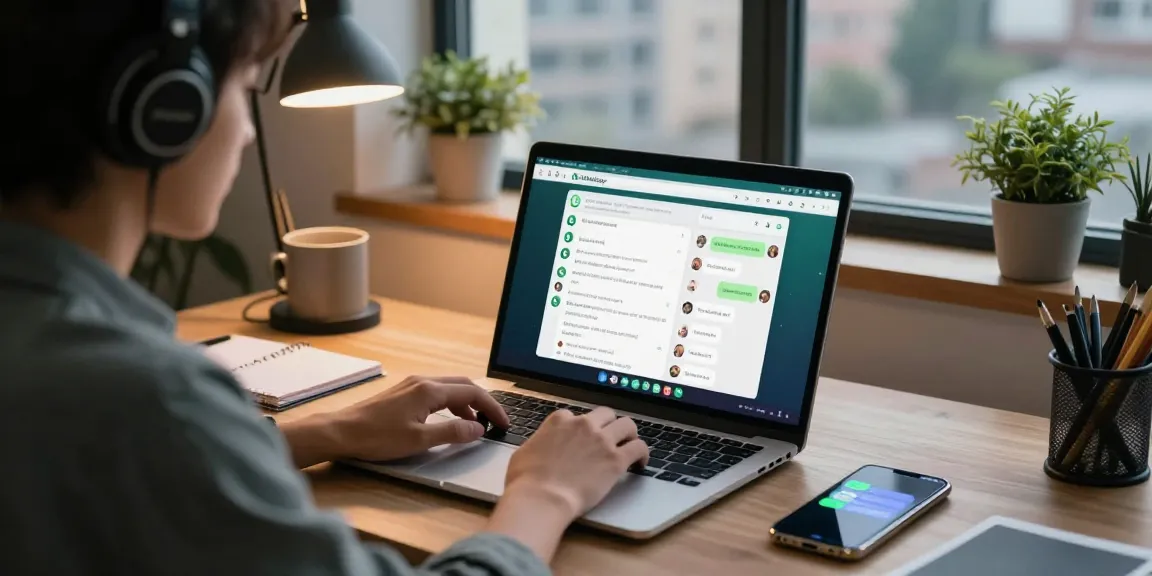
What is Clawdbot Mac?
In an era increasingly dominated by digital technology, the need for personal AI assistants has never been more pronounced. Clawdbot is a groundbreaking open-source AI personal assistant designed to run directly on your machine, effectively bridging the gap between traditional assistants and intelligent automation. Unlike conventional AI, Clawdbot utilizes large language models (LLMs) to integrate real-world tasks across various applications and messaging platforms. This unique functionality allows users to interact with their assistant through popular messaging apps, streamlining productivity and task management seamlessly. When exploring options, clawdbot mac provides comprehensive insights into its capabilities and features, making it a valuable tool for users seeking a personalized assistant.
Overview of Clawdbot’s Features
Clawdbot offers a myriad of features that set it apart from typical AI assistants. The key highlights include:
- Multi-Platform Compatibility: Runs on macOS, Windows, and Linux, making it accessible to a wide audience.
- Messaging Integration: Seamlessly communicates via WhatsApp, Telegram, Discord, Slack, and more, keeping conversational context intact.
- Task Automation: Performs real-world tasks such as managing emails, scheduling appointments, and controlling smart home devices.
- Privacy Focused: As a self-hosted solution, it keeps user data private and secure by running locally on your machine.
- Extensible Skills: Users can customize its functionality with various plugins, providing adaptability to diverse workflows.
How Clawdbot Differs from Traditional AI Assistants
Unlike traditional AI assistants, which merely respond to user queries, Clawdbot extends its functionality by executing complex tasks autonomously. Here’s how it stands out:
- Active Participation: Clawdbot not only answers questions but also acts on them by interacting with other applications and devices.
- Customizability: Users have the ability to extend and modify Clawdbot’s capabilities, ensuring it meets their specific needs.
- Local Operation: By running locally, Clawdbot eliminates concerns regarding data privacy commonly associated with cloud-based AI solutions.
Installation Guide for Clawdbot on Mac
Setting up Clawdbot on your Mac is a straightforward process designed to get you up and running quickly. Below are detailed methods for installation to cater to different user needs.
Recommended Installation Methods
The simplest way to install Clawdbot on your Mac is using the one-liner installation method. This method automatically installs Node.js and all dependencies:
curl -fsSL https://clawd.bot/install.sh | bash
After installation, you can initiate Clawdbot with the command:
clawdbot onboard
Building Clawdbot from Source
For developers or advanced users wishing to customize Clawdbot, building it from the source provides a flexible option:
- Clone the Clawdbot repository from GitHub.
- Follow the provided instructions in the documentation to compile and set up the software.
- Make necessary modifications as desired before deploying the assistant on your Mac.
Post-Installation: Initial Setup Steps
Once Clawdbot is installed, follow these initial steps to optimize your experience:
- Link your preferred messaging platforms for seamless access.
- Select your desired AI model for task execution based on performance and privacy needs.
- Customize settings to tailor the assistant to your working style.
Integrations and Use Cases for Clawdbot Mac
Clawdbot’s versatility shines through its integrations and practical applications, significantly enhancing productivity.
Popular Messaging Platforms
Clawdbot supports a wide range of messaging applications, making it easy to incorporate into your daily routine:
- Telegram
- Discord
- Slack
- Signal
Real-World Automation Scenarios
Here are some compelling real-world use cases of Clawdbot:
- Email Management: Automatically sort and respond to emails based on preset rules.
- Calendar Coordination: Schedule meetings and manage calendar conflicts with ease.
- Smart Home Control: Adjust lighting, heating, and appliances from a single interface.
Managing Workflows Efficiently
With the extensible skills architecture, Clawdbot allows users to create tailored workflows that enhance operational efficiency. Here’s how:
- Create custom commands to execute repetitive tasks with a simple message.
- Control multiple devices and applications through integrated commands.
- Use group chat functionalities for collaborative project management.
Privacy and Data Management with Clawdbot
Privacy and security are paramount concerns for many users considering adopting an AI assistant. Clawdbot addresses these issues head-on with its unique architecture.
Understanding Self-Hosting Benefits
By running locally, Clawdbot not only enhances performance but also ensures your data is completely protected from unauthorized access, unlike cloud providers:
- You retain full control over your data and settings.
- Data processing occurs on your machine, eliminating the risk of external breaches.
Data Security Compared to Cloud Solutions
Clawdbot provides a range of security benefits over conventional cloud-based assistants:
- No Centralized Data Storage: Data remains on your device.
- Increased Privacy: Your interactions are not stored on external servers.
- Customizable Security Options: Fine-tune security settings to align with your personal privacy preferences.
Keeping Your Information Private
Understanding how Clawdbot manages user data is crucial:
- All conversation histories and context files are maintained locally.
- Users can opt to share specific data with particular services if they choose.
Community Feedback and Future Outlook
Feedback from Clawdbot users has been overwhelmingly positive, showcasing its revolutionary impact on productivity and efficiency.
User Testimonials on Clawdbot Experience
Users from various backgrounds have shared their experiences with Clawdbot, emphasizing its unique capabilities:
“Clawdbot has truly transformed how I manage my tasks. The integration with my favorite messaging apps is seamless!” – Jane R.
“I love the ability to customize Clawdbot. It feels like I have a personal assistant that truly understands my needs.” – Mark T.
Emerging Trends for AI Assistants in 2026
As we move deeper into 2026, trends in AI and automation are evolving rapidly:
- Increased focus on privacy and self-hosted solutions.
- Integration with more local devices and services for enhanced control.
- Development of more personalized AI experiences based on user preferences.
Expert Insights on Clawdbot’s Evolution
Industry experts highlight the potential of Clawdbot to push boundaries within the AI assistant landscape:
- Potential for further integrations with emerging technologies.
- Insights into adaptive learning systems that enhance user interaction.
How to Get Started with Clawdbot?
Getting started with Clawdbot is easy. Simply follow the installation guide detailed above, and ensure that you set your preferences during the onboarding process to make the most out of your experience.
Is Clawdbot Free and How to Manage Costs?
Clawdbot is open-source and free to use. However, depending on the integrations and AI models selected, there may be associated costs, especially if you choose to use premium services or APIs.
Can Clawdbot Operate Offline?
Yes, one of the significant advantages of Clawdbot is its ability to operate offline when using local AI models. This ensures that you can continue utilizing its powerful features without needing a constant internet connection.